
How to Download Instagram App on Your Mobile Phone (Step-by-Step Guide)
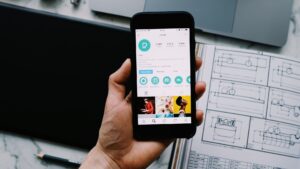
Instagram is a popular app used to share photos, videos, and stories with friends and followers. If you want to start using Instagram on your phone, just follow these simple steps.
This guide works for both Android phones and iPhones.
Step 1: Open Your App Store
First, open the app store on your phone.
- Android users: Open the Google Play Store
- iPhone users: Open the Apple App Store
Once the store is open, you’re ready to search for the app.
Step 2: Search for Instagram
Next, tap on the search bar at the top of the screen.
Type Instagram, then tap search.
Make sure you select the official Instagram app by Instagram, Inc.
You can identify it easily by its colorful camera logo
Step 3: Download and Install the App
After finding the app, tap Install (Android) or Get (iPhone).
Now, wait a few moments while the app downloads and installs.
During this step, ensure:
-
Your internet connection is stable
-
Your phone has enough storage space
Step 4: Open Instagram
Once the installation is complete, tap Open. At this point, you’ll see the Instagram welcome screen, which means the app is ready to use.
Step 5: Sign Up or Log In
Finally, choose how you want to access Instagram:
-
New users: Tap Sign Up and use your email, phone number, or Facebook account
-
Existing users: Tap Log In and enter your username and password
After logging in, you can start exploring Instagram right away.
Tips for Easy Installation
To avoid problems, keep these tips in mind:
-
Make sure your phone has enough free storage
-
Update your phone’s software if needed
-
Always use a safe and reliable internet connection
Frequently Asked Questions (FAQ)
Q. Is Instagram free?
Yes, Instagram is completely free to download and use.
Q. Can I use Instagram without the app?
Yes, you can use Instagram in a web browser. However, the app is better for stories, reels, and notifications.
Q. What should I do if the app doesn’t install?
If the app doesn’t install, try these steps:
-
Check your phone storage
-
Restart your phone
-
Make sure your device supports the latest Instagram version
Final Note
In conclusion, downloading Instagram on your phone is quick and easy. Once installed, you can share photos, watch reels, and connect with people from around the world.
Pro tip: While using Instagram, don’t forget to check out our free wallpapers, planners, highlight covers, and colour palettes to make your digital life more creative!
LINKS
Google Play
App Store